

iPhone · Android · Apple Watch
Wallet Coach
Paran gerçekte nereye gidiyor: gör, planla, paylaş. Ayın faturaları, kredileri ve geliri tek sayfada; fiş okunur, fiyatlar takip edilir, hepsi anlaşılır grafiklerle analiz edilir.See where your money really goes, plan it, share it. Your month's bills, loans and income on one page, receipts read and prices tracked, all of it explained in clear charts.
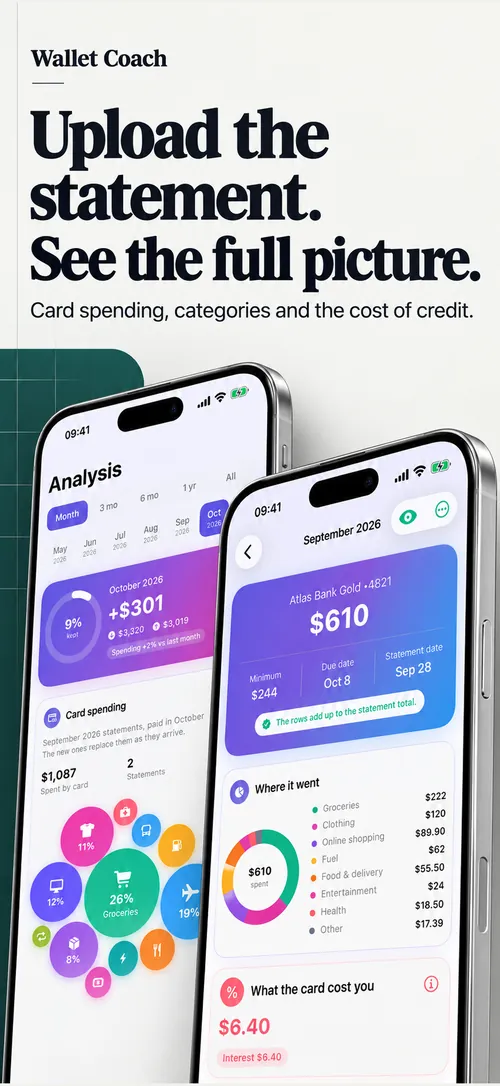

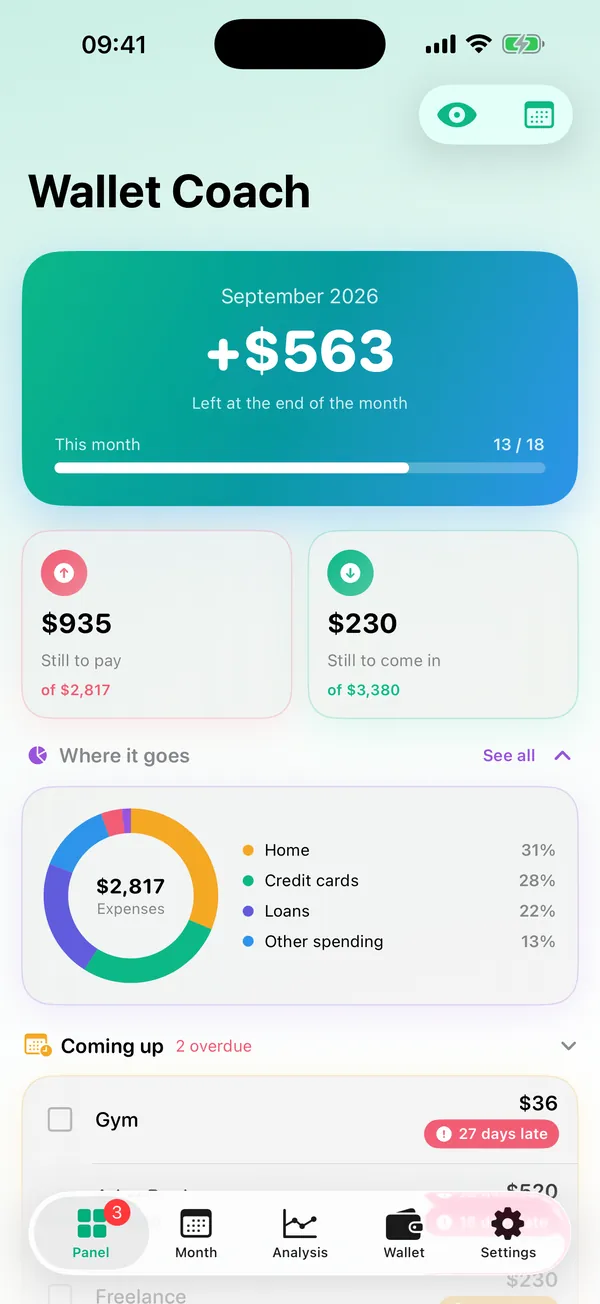
PanelDashboard
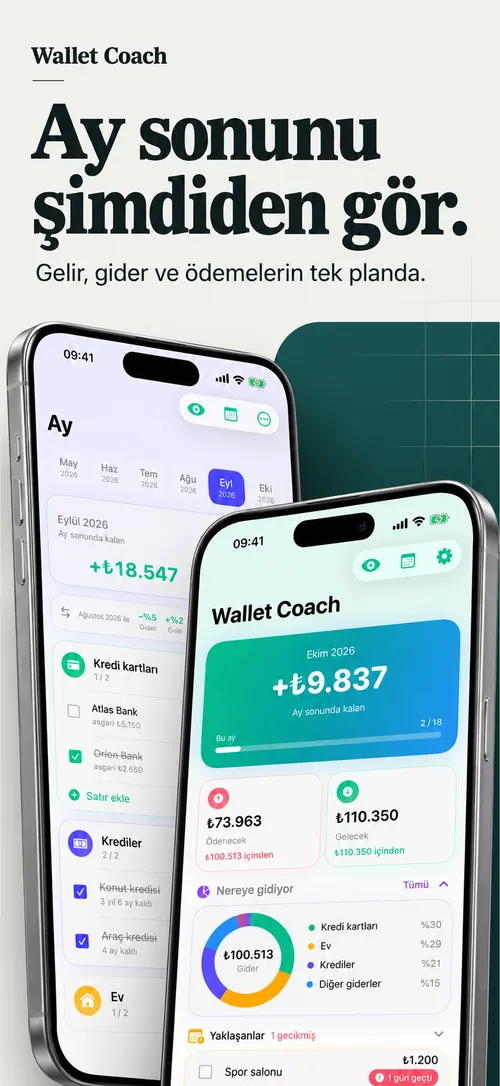
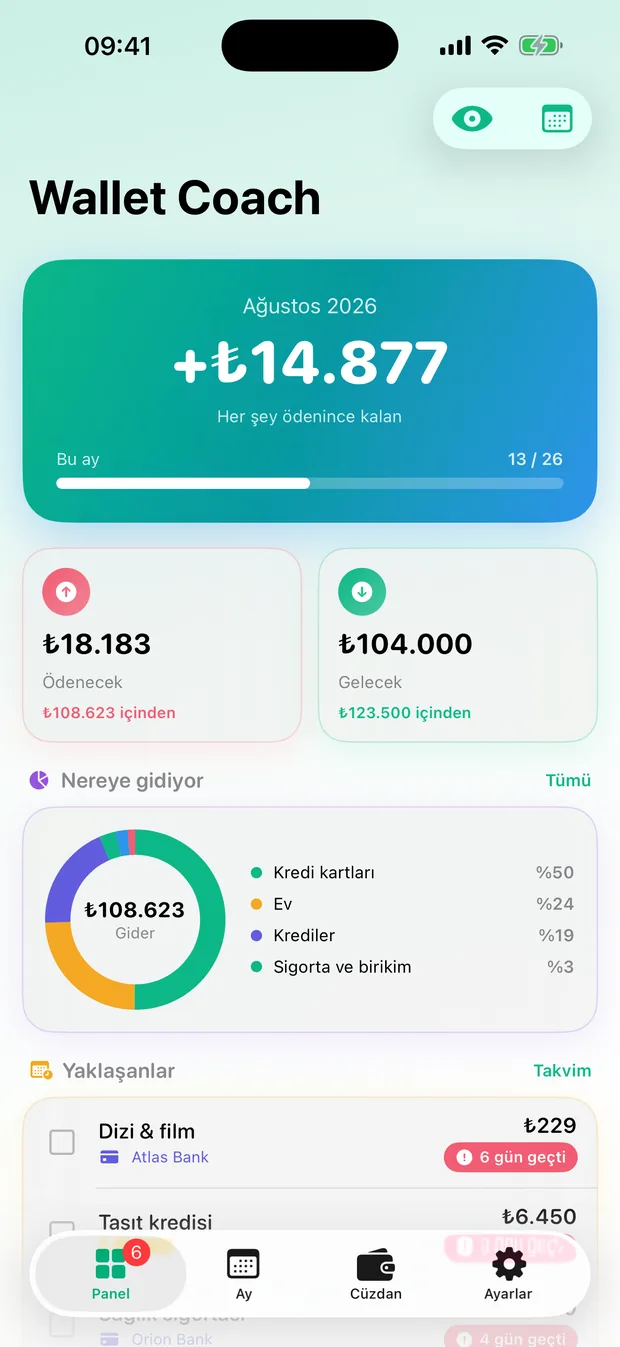
Ay sonunu şimdiden görSee the month's end now
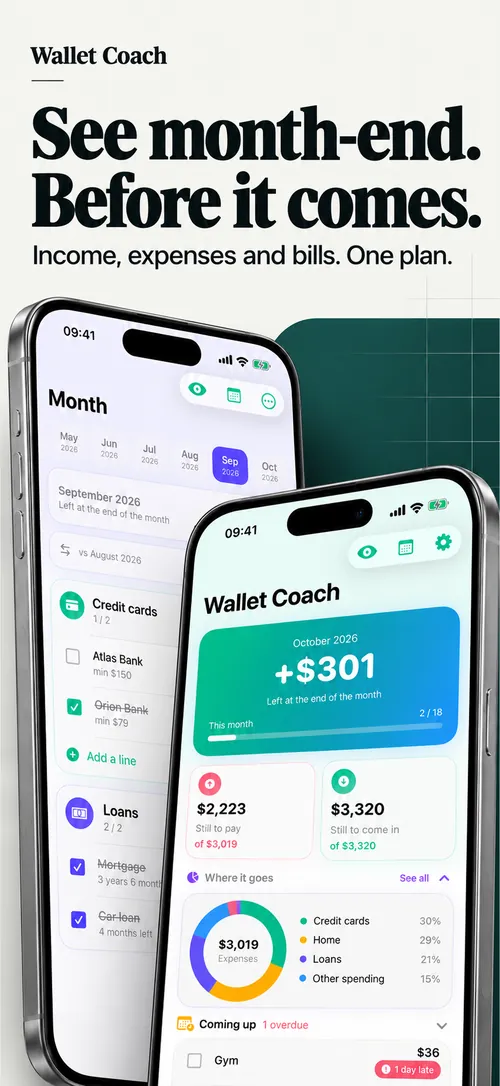
Ekranın tepesindeki rakam bakiyen değil; her şey ödendikten sonra elinde kalacak olan.The figure at the top is not your balance; it is what will be left once everything is paid.
- Ödenecek ve gelecek tutarlar, ilerleme çubuğuylaStill to pay and still to come, with a progress bar
- Paranın bloklara dağılımı halka grafikteWhere the month goes, block by block, in a ring
- Yaklaşan ve geciken ödemeler; her satır panelden işaretlenirUpcoming and overdue payments; tick any line off right here
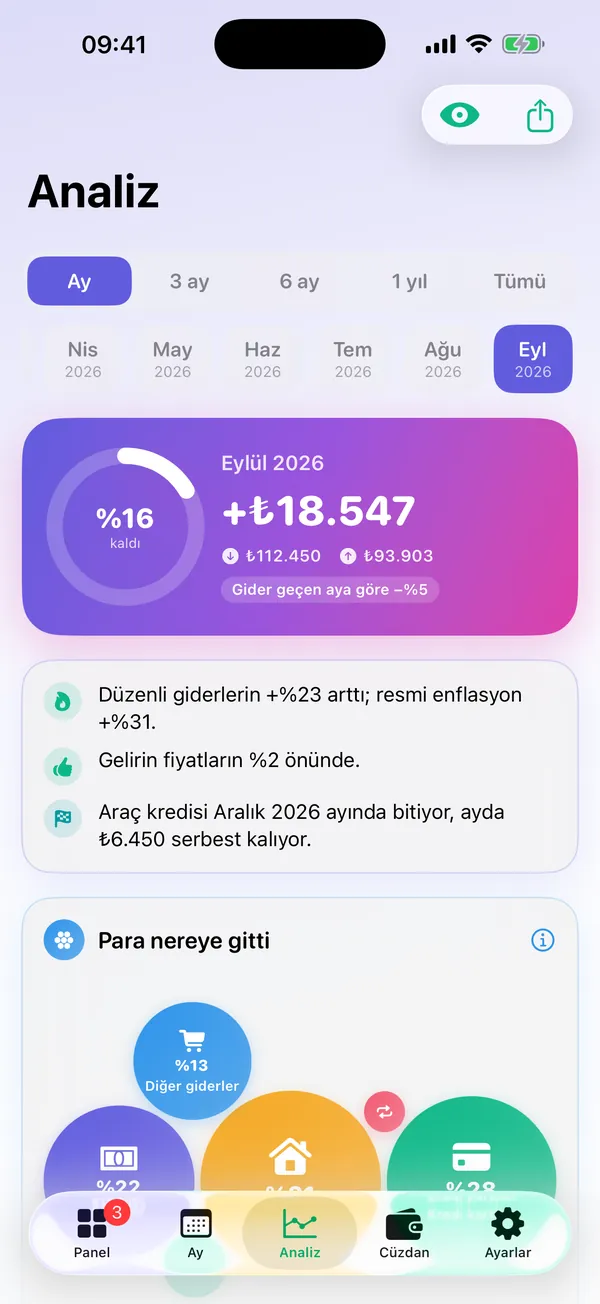
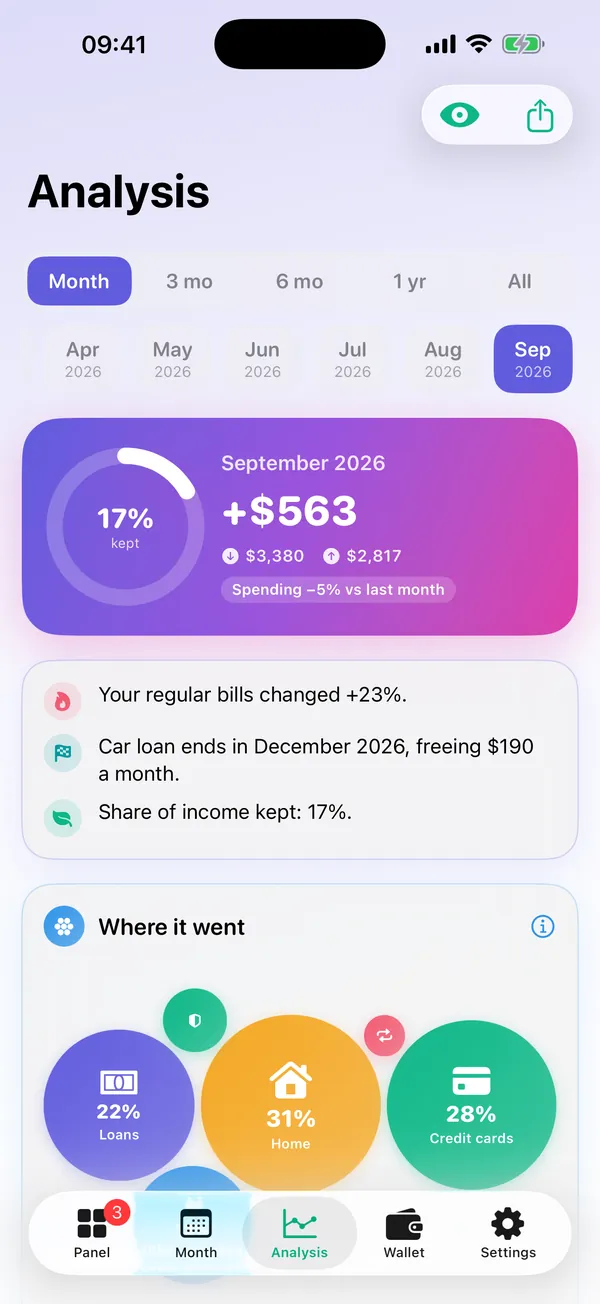
AnalizAnalysis
Ayın, üç cümledeYour month in three sentences
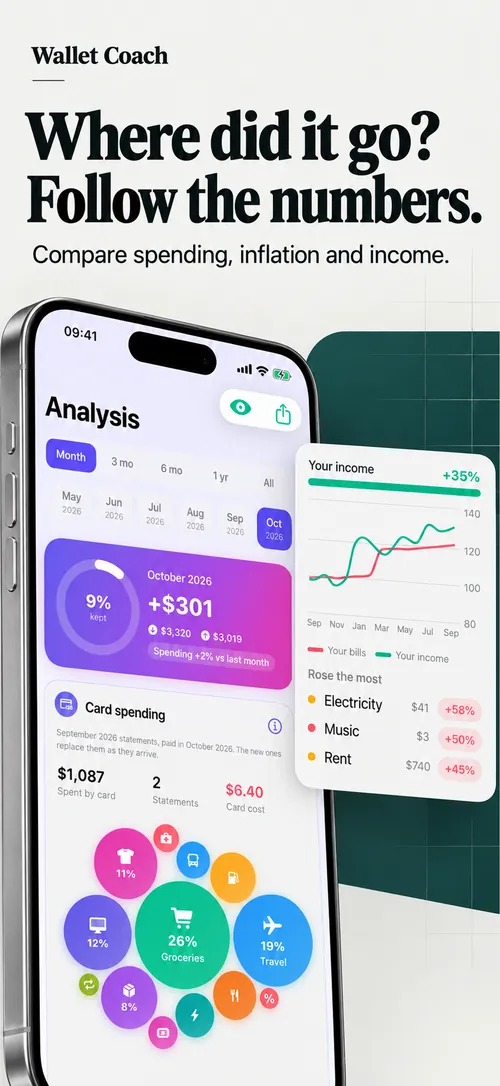
Tek bir ay ya da son 3 ay, 6 ay, 1 yıl ve tüm zamanlar. Öne çıkanlar rakamlardan üç cümle çıkarır: "Araç kredisi Aralık'ta bitiyor, ayda 6.450 TL serbest kalıyor" gibi.A single month or the last 3 months, 6 months, a year or all time. The highlights turn your numbers into three sentences, like "The car loan ends in December, freeing up 6,450 a month".
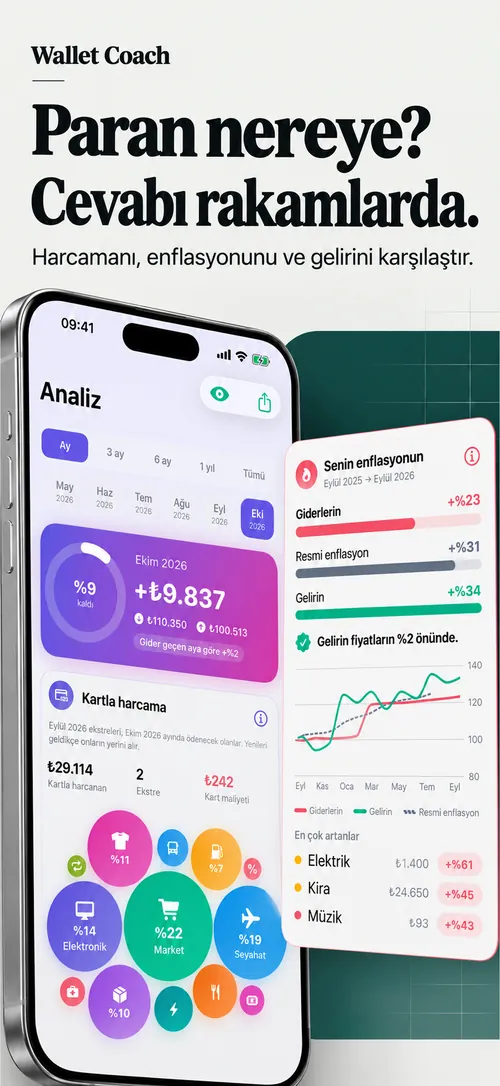
- Para nereye gitti: bloklar harcamaya göre baloncukWhere it went: your blocks as bubbles sized by spend
- Ay ay gelir ve gider çubuklarıIncome and spending, month by month
- Her kartta (i) ile hesabın nasıl yapıldığı yazarEvery card explains its maths behind (i)
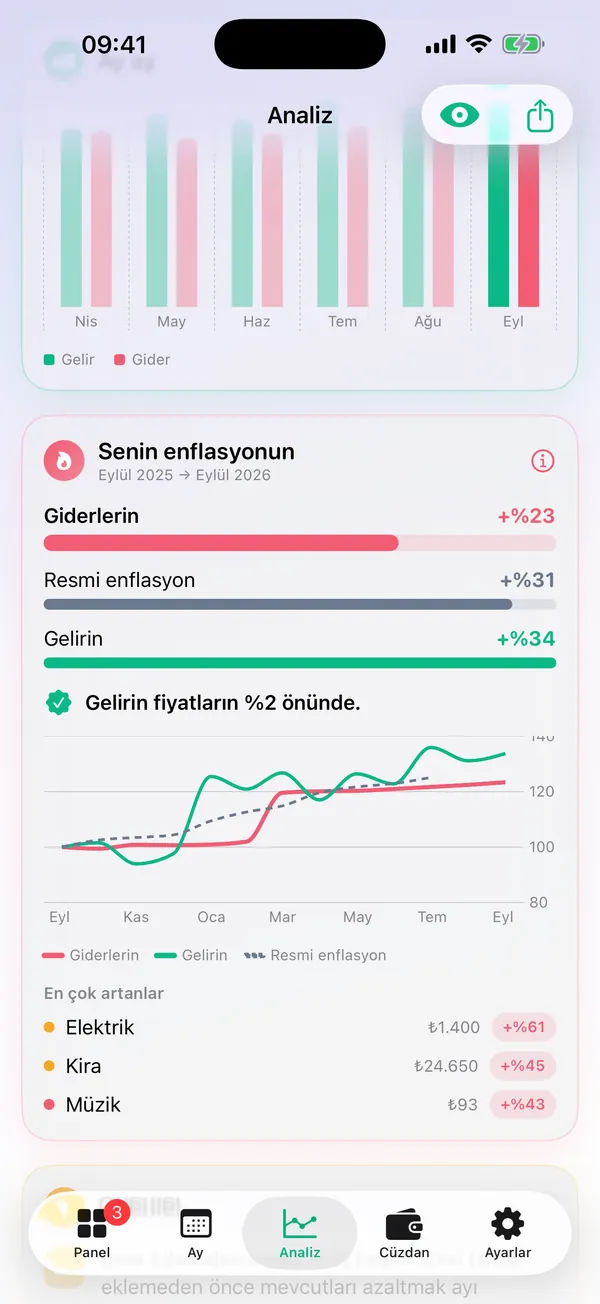
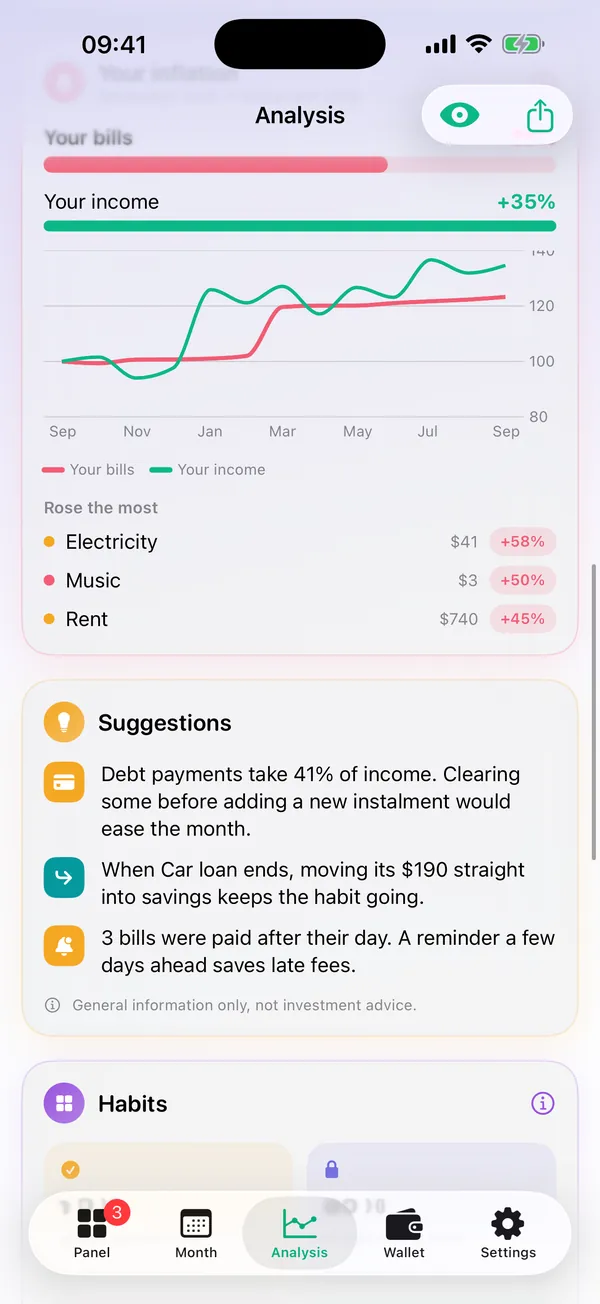
Senin enflasyonunYour inflation
Resmi rakam değil, seninkiNot the official one. Yours.
Kira, fatura, sigorta gibi düzenli giderlerin bir yılda ne kadar arttı; resmi enflasyon ve gelirinle yan yana. Sonuç tek cümle: "Gelirin fiyatların %2 önünde" gibi.How much your regular costs such as rent, bills and insurance rose in a year, next to official inflation and your income. The verdict is one sentence, like "Your income is 2% ahead of prices".
- Öneriler: borç yükü, acil durum fonu, biten taksiti birikime yönlendirmeTips: debt load, an emergency fund, moving a finished instalment into savings
- Alışkanlıklar: zamanında ödeme oranı, aboneliklere yılda gidenHabits: on-time payment rate, what subscriptions cost a year
- Öneriler genel bilgilendirmedir, yatırım tavsiyesi değildirTips are general information, not investment advice
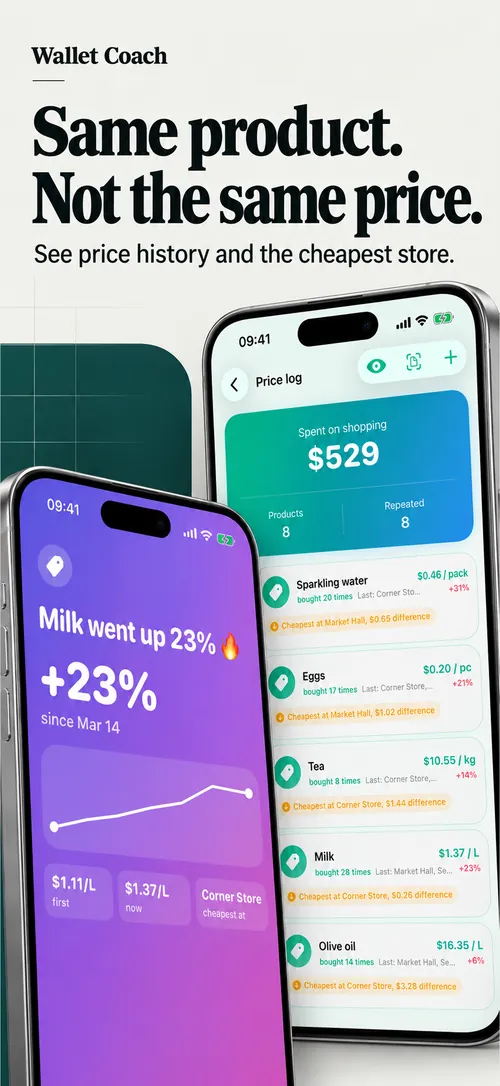
Fiş ve fiyatReceipts and prices
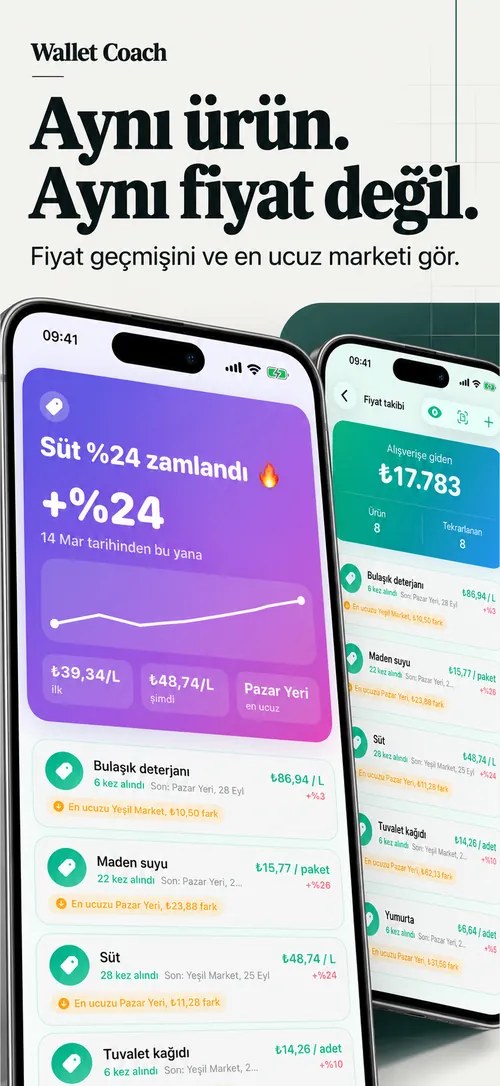
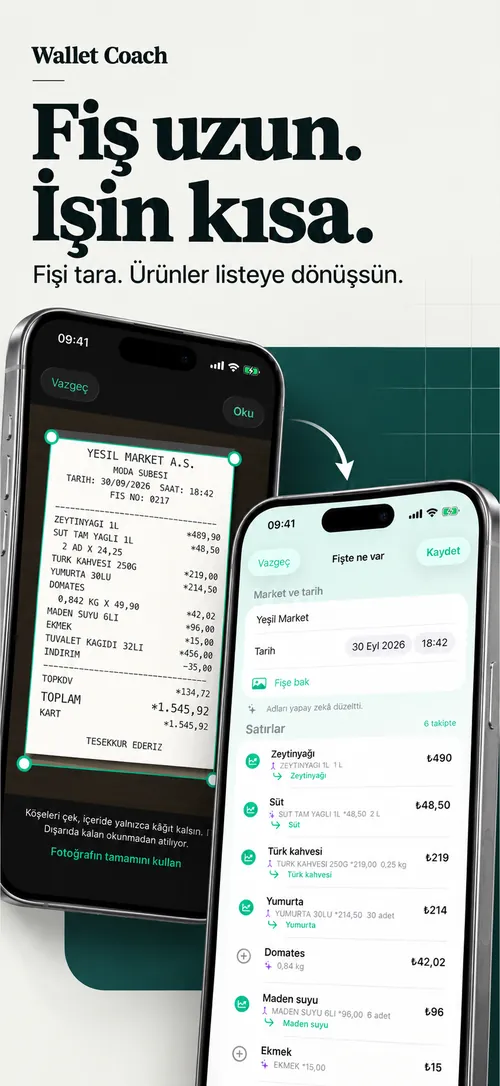
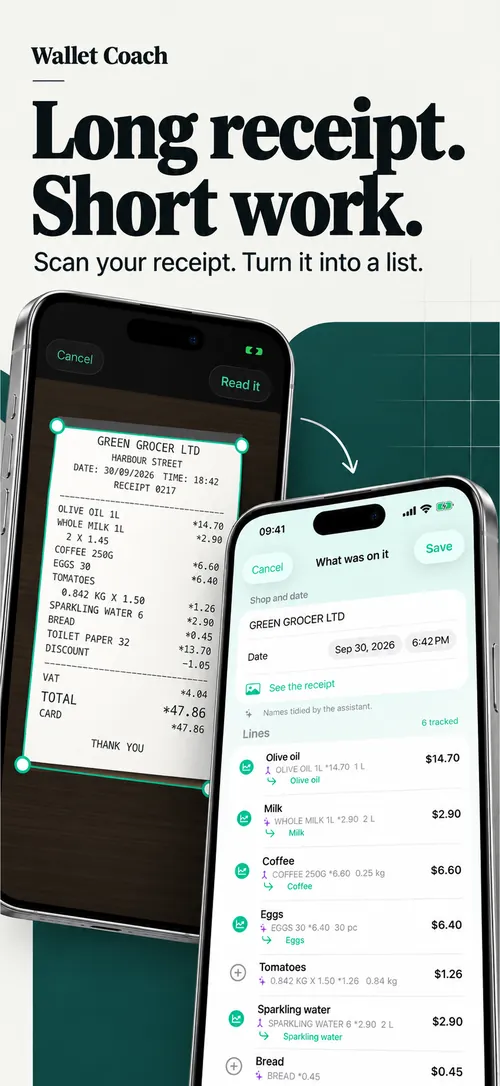
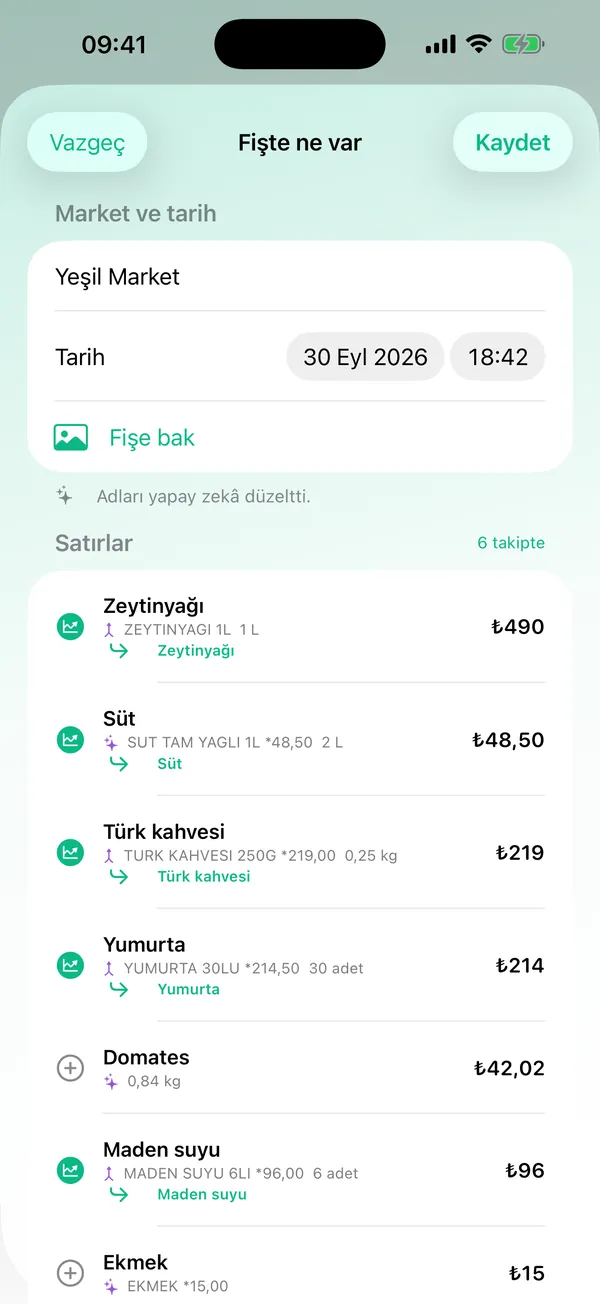
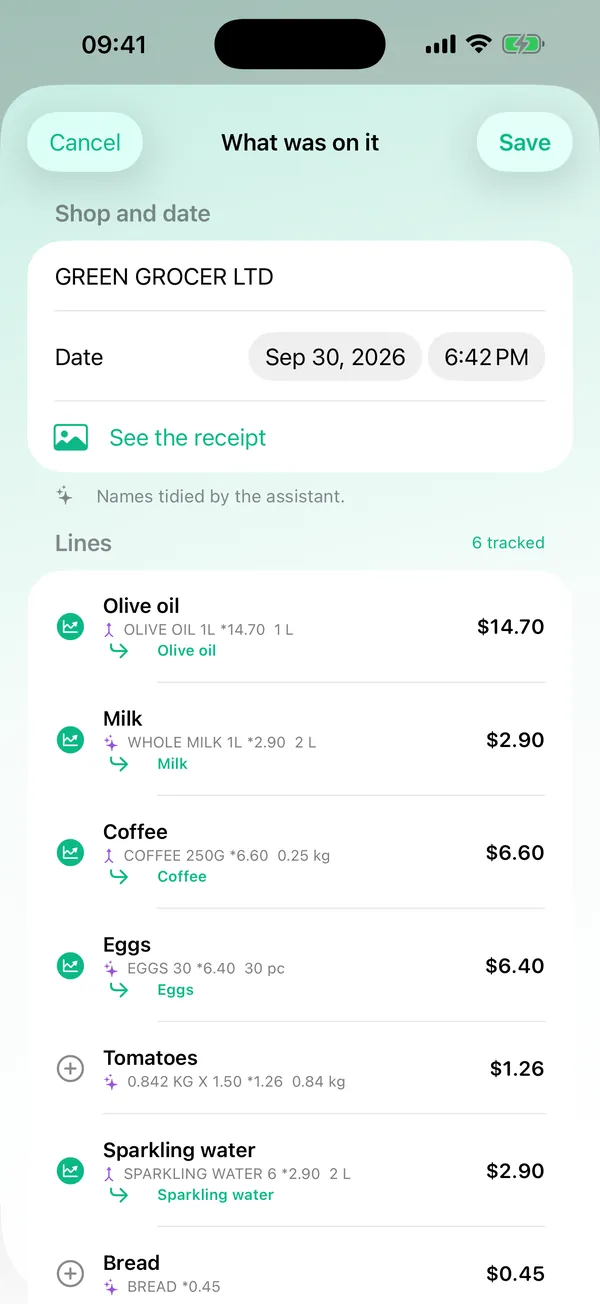
Fiş uzun, işin kısaLong receipt, short job
Fişi çek ya da fotoğraflardan seç, köşeleri ayarla, satırlar okunsun. Market, tarih, toplam ve indirim de okunur. Zammı gördün mü, tek dokunuşla paylaşılacak karta çevir.Snap a receipt or pick it from Photos, adjust the corners and the lines are read, along with the shop, date, total and discount. Spotted a price hike? Turn it into a card to share in one tap.
- Aynı ürünün her alımı yan yana; en ucuz market ve kaçırılan tasarrufEvery purchase of a product side by side, the cheapest shop and the missed saving
- Yapay zeka ad düzeltmesine fotoğraf değil, yalnızca okunan metin giderAI name clean-up sends only the text it read, never the photo
- Gönderi ya da Hikaye kartı; "Tutarları gizle" ile yalnız yüzdelerPost or Story cards; "Hide amounts" leaves only percentages
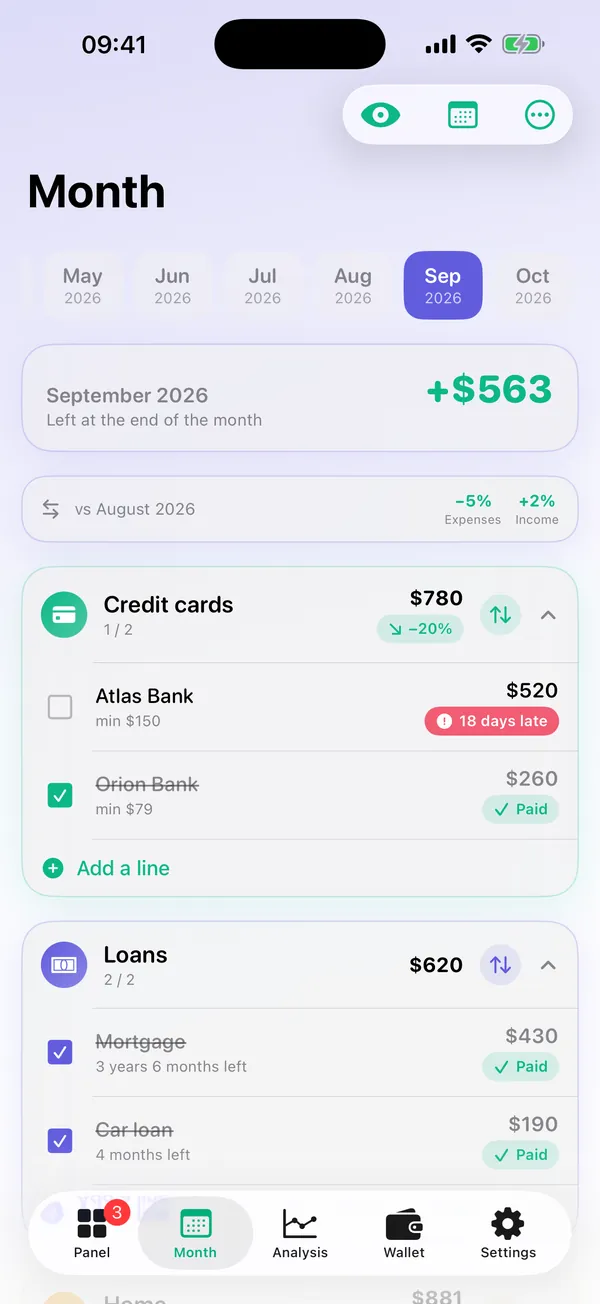
Ay planıMonthly plan
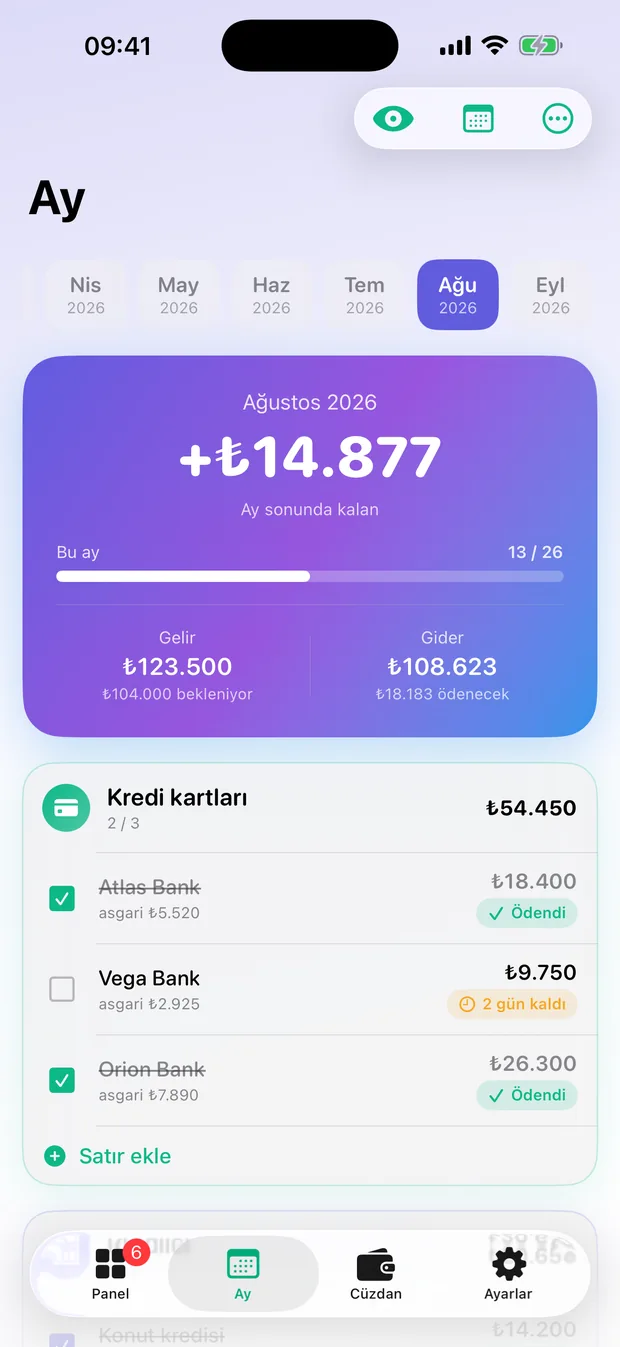
Bütün faturalar tek sayfadaEvery bill on one page
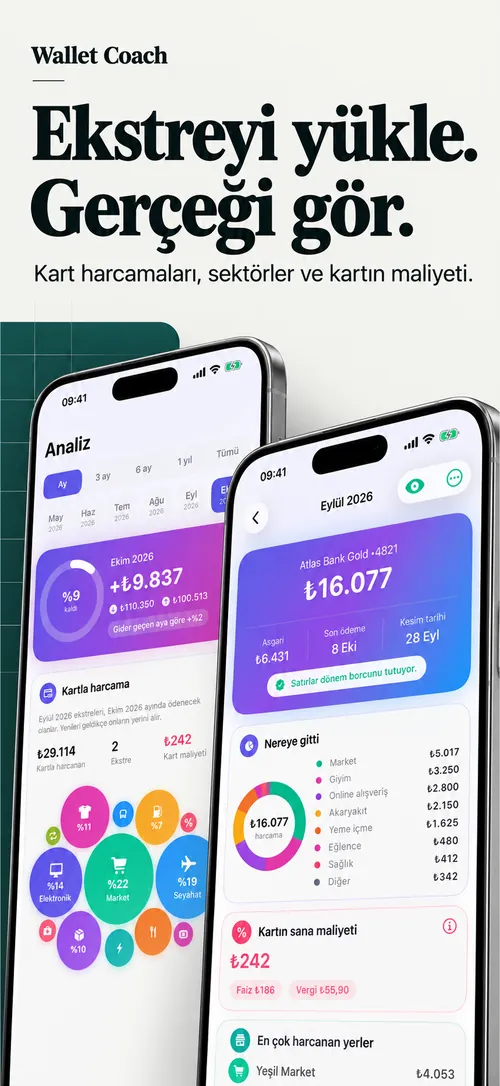
Kredi kartları, krediler, ev, sigorta, abonelikler, gelirler; hepsi bloklarda. Yeni ay tek dokunuşla öncekini kopyalar, sen yalnız değişeni düzeltirsin.Credit cards, loans, home, insurance, subscriptions and income, all in blocks. A new month copies the last one in a tap; you only fix what changed.
- Kartla ödenen fatura ekstreyle bir kez sayılır, çift sayım yokA bill paid by card is counted once, with the statement
- Bitiş ayı: "3 yıl 6 ay kaldı"End dates: "3 years 6 months left"
- Vade takvimi ve vadesi gelmeden bildirimA due calendar and a notification before anything falls due
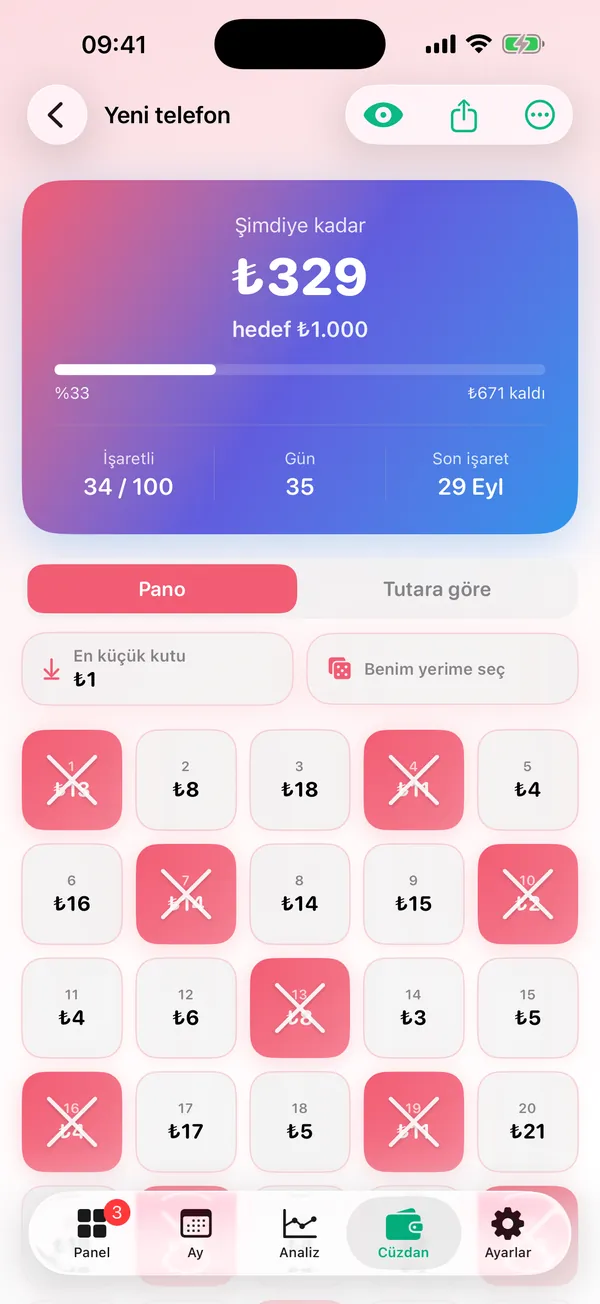
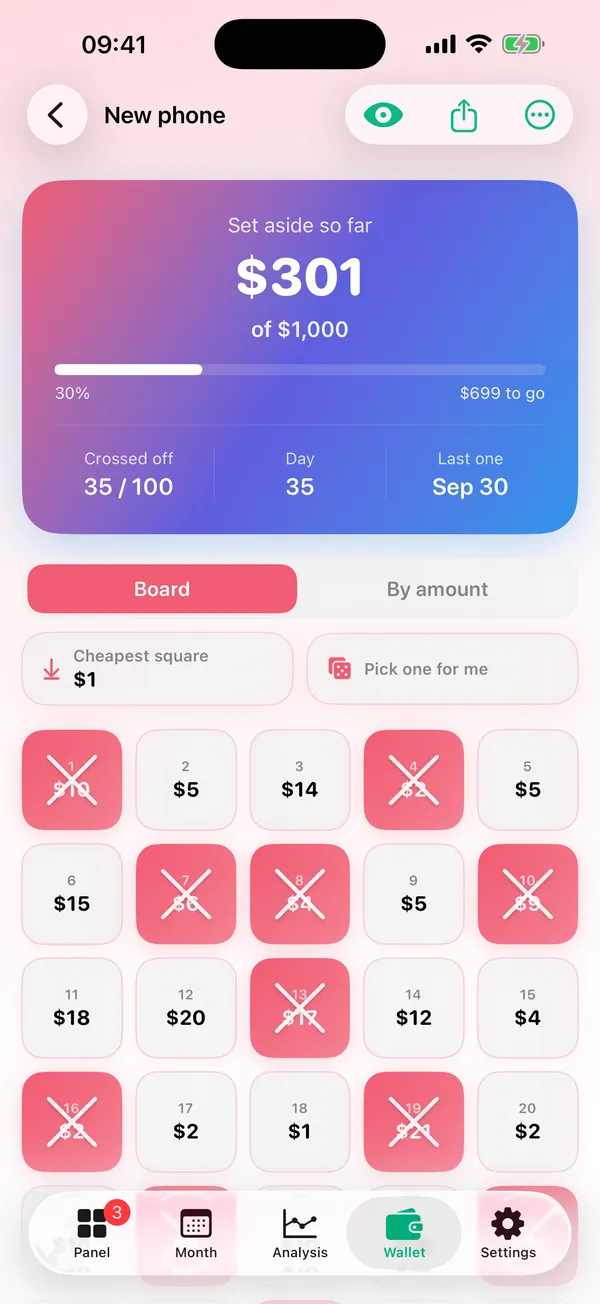
BirikimSavings
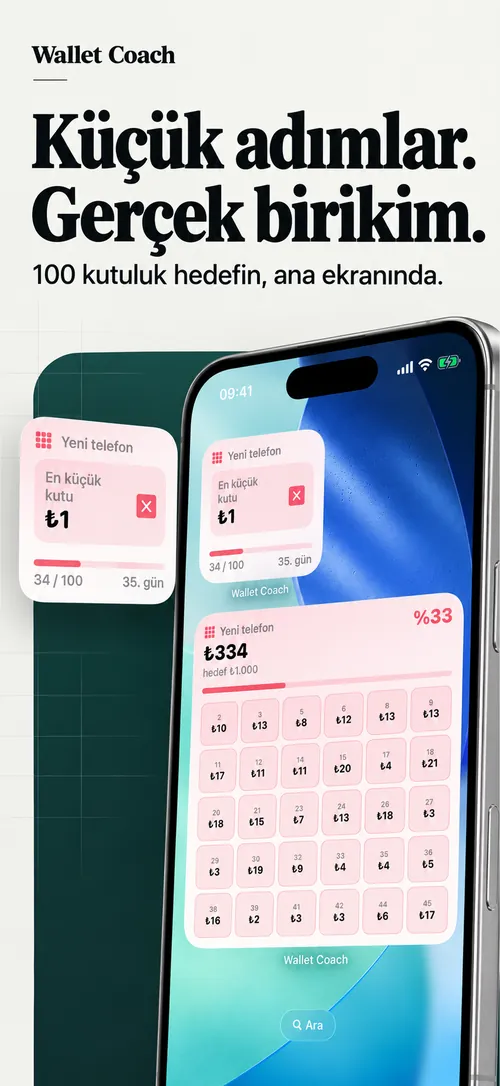
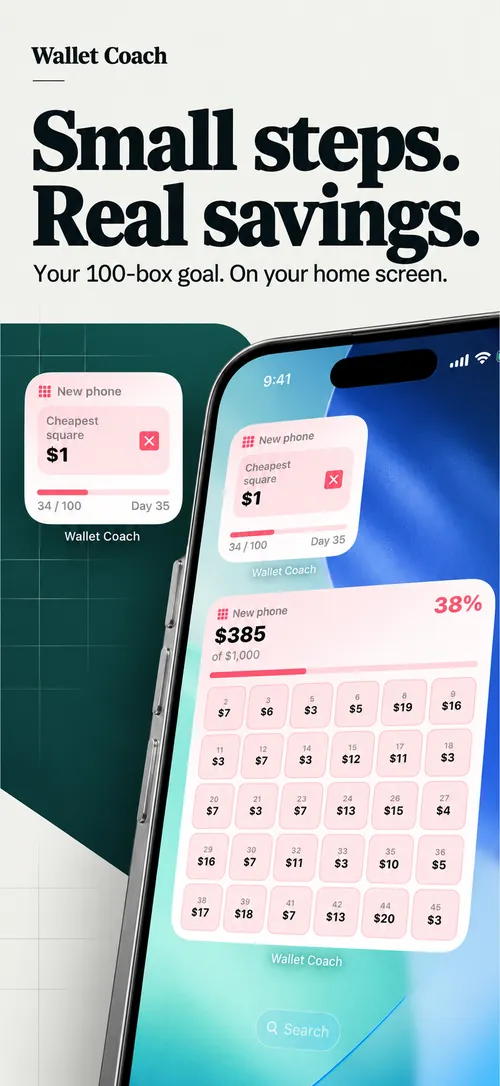
Kutu kutu biriktirSave it square by square
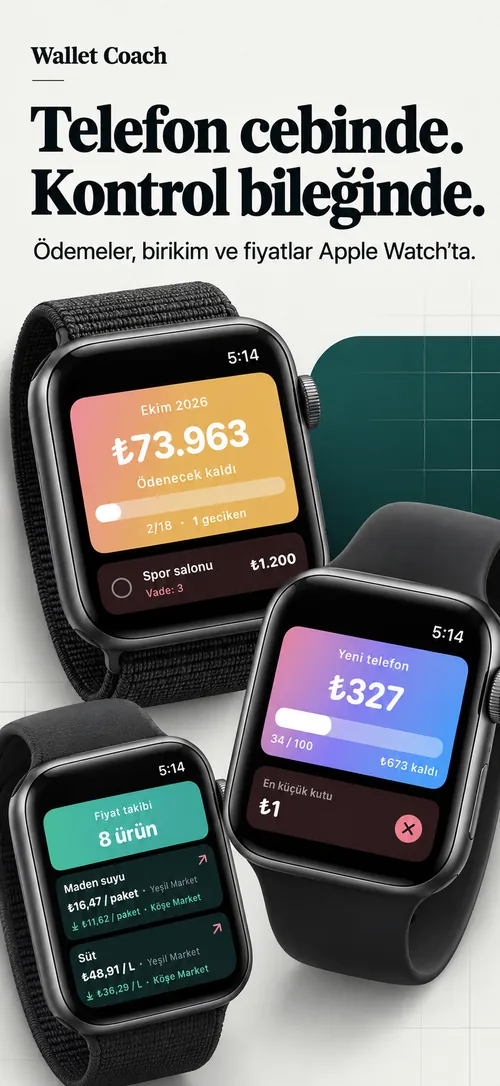
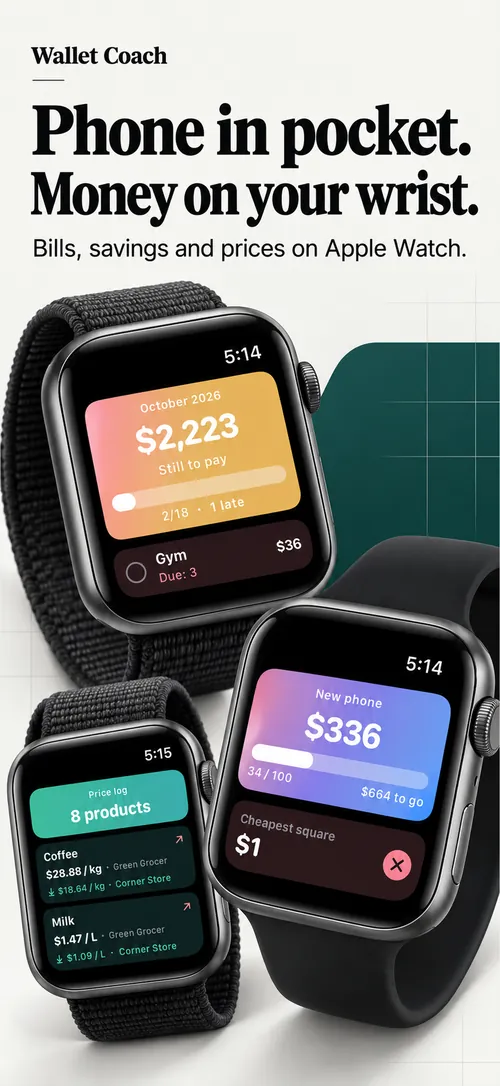
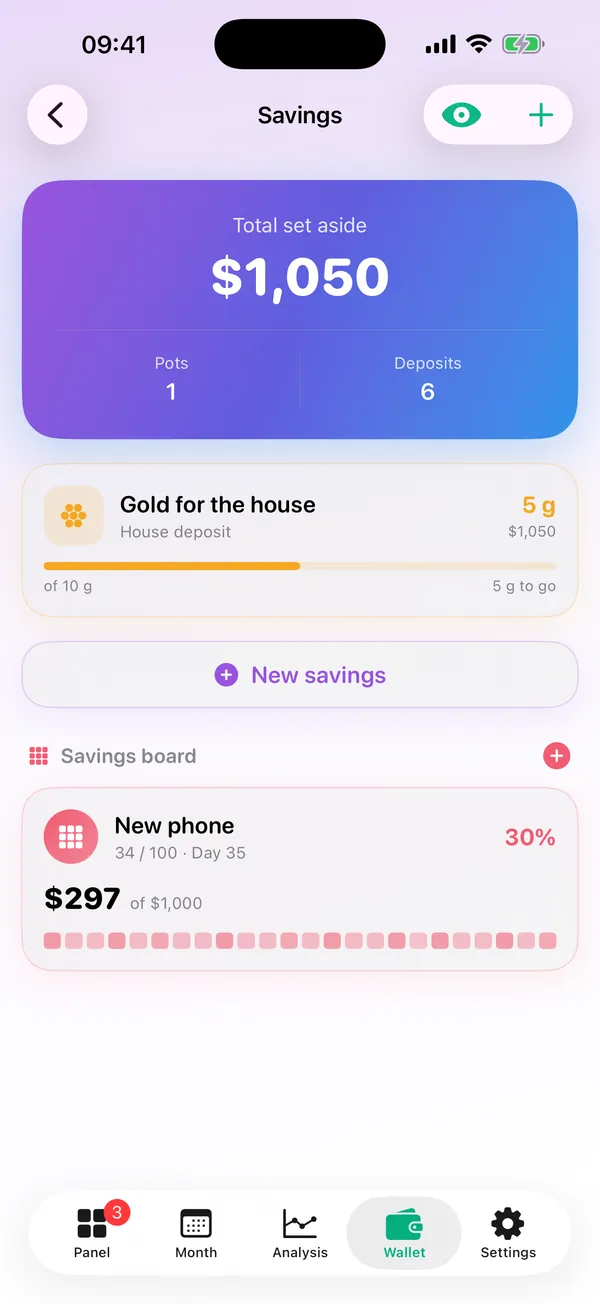
Hedefli birikim kapları: para, gram altın, döviz ya da kendi birimin. Birikim panosu 100 kutuluk bir meydan okuma; her kutuda rastgele bir tutar, biriktirdikçe çarpılır.Goal-based savings pots in money, grams of gold, currency or a unit of your own. The savings board is a 100-square challenge: each square holds a random amount and gets crossed off as you save.
- "En küçük kutu" ve "Benim yerime seç""Smallest square" and "Pick for me"
- Pano widget'tan ve Apple Watch'tan da işaretlenirTick the board from a widget or Apple Watch too
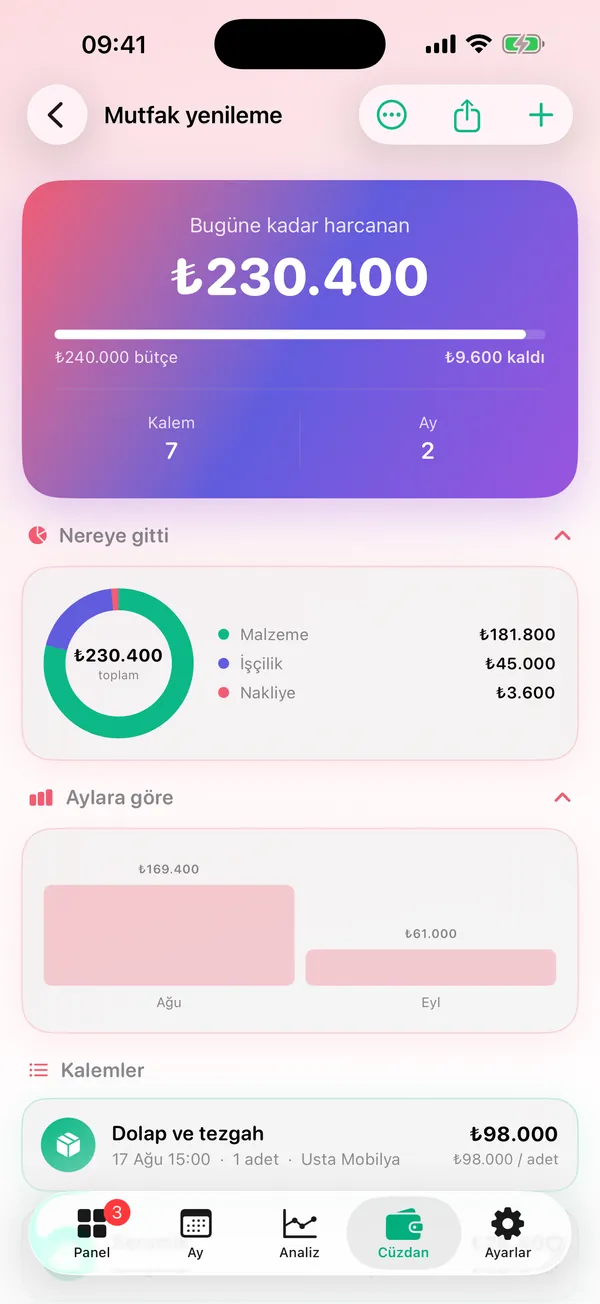
Projeler ve defterProjects and ledger
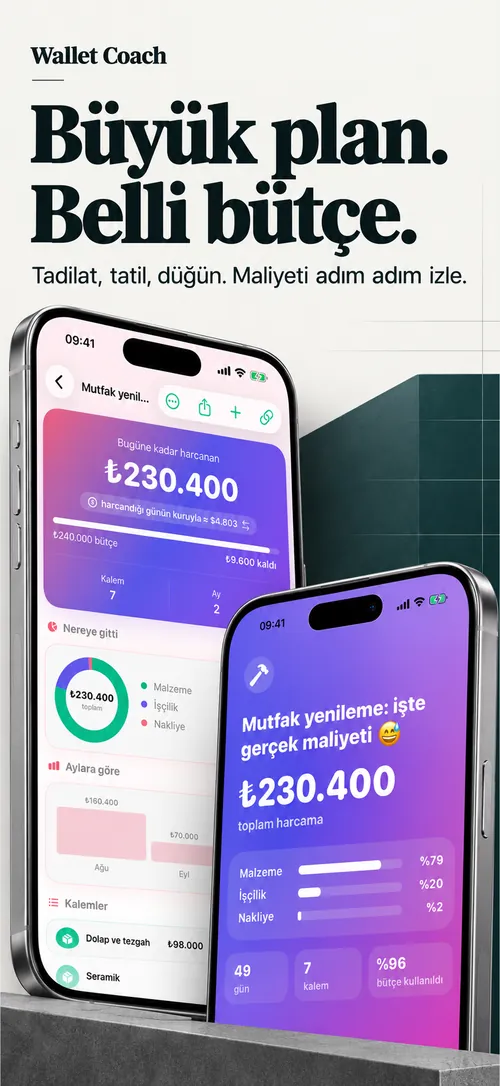
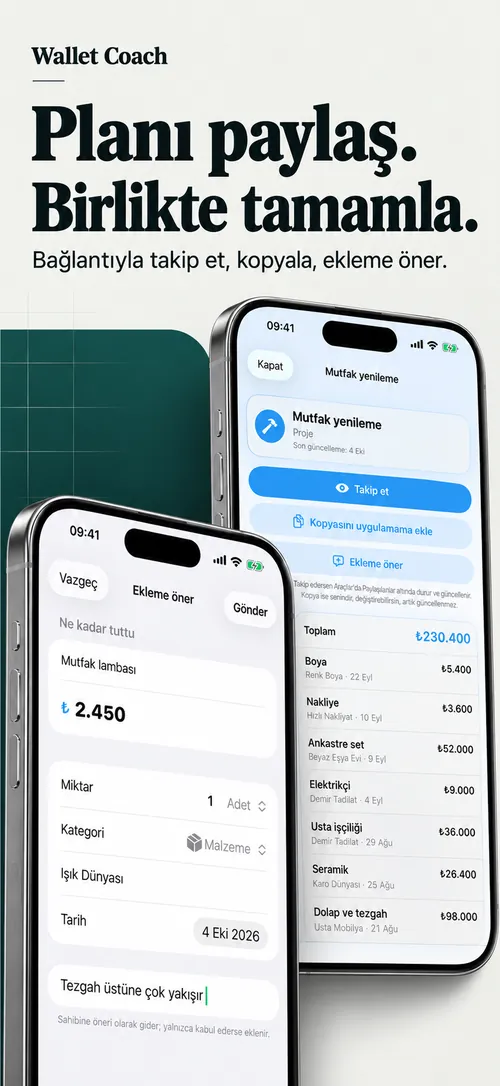
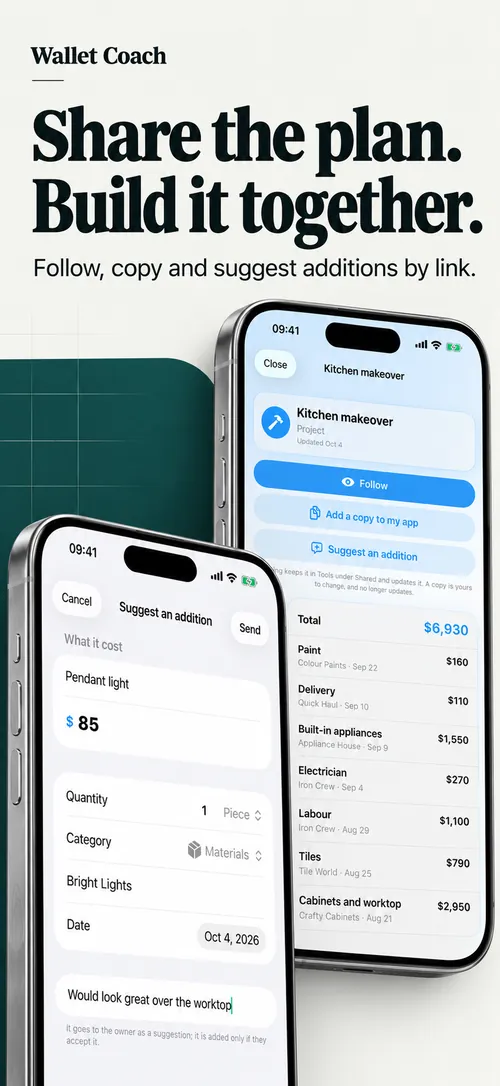
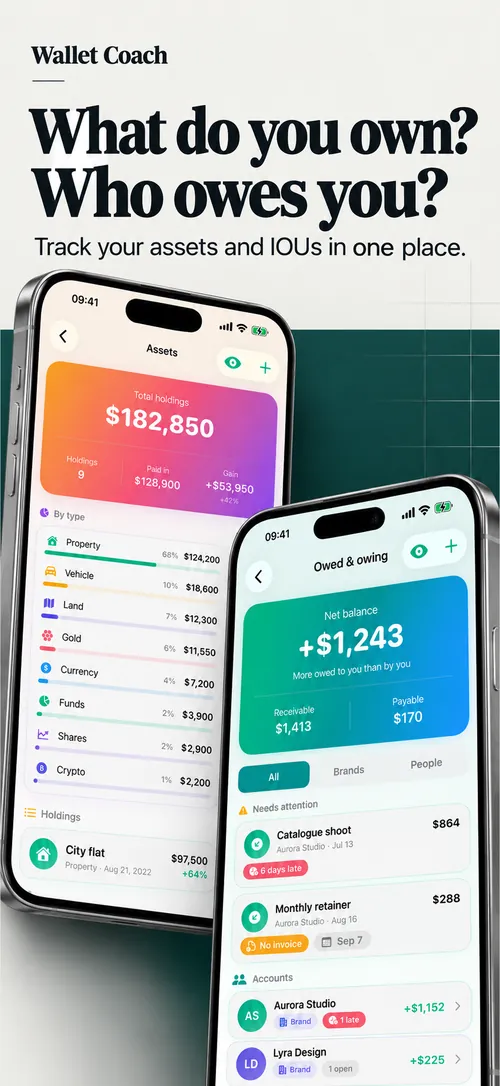
Proje, borç, servetProjects, debts, wealth
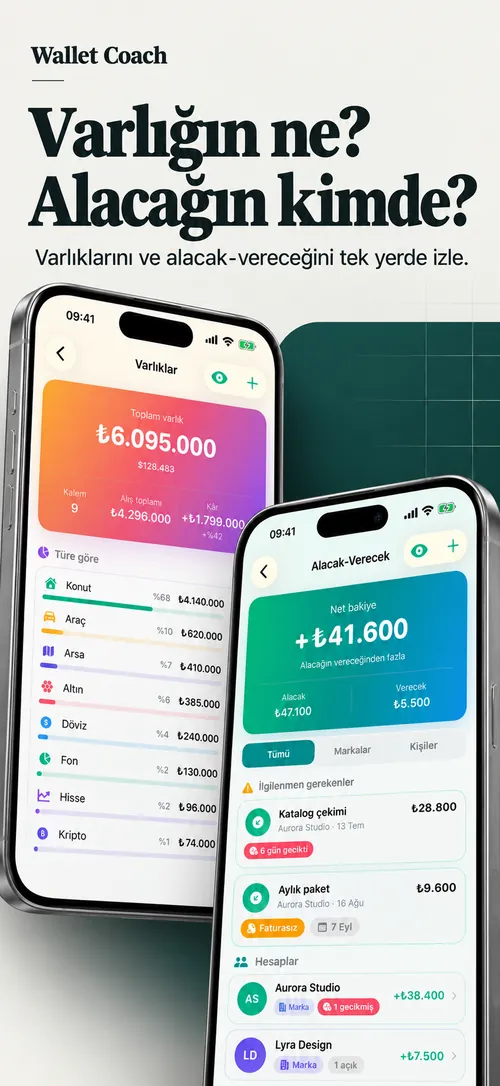
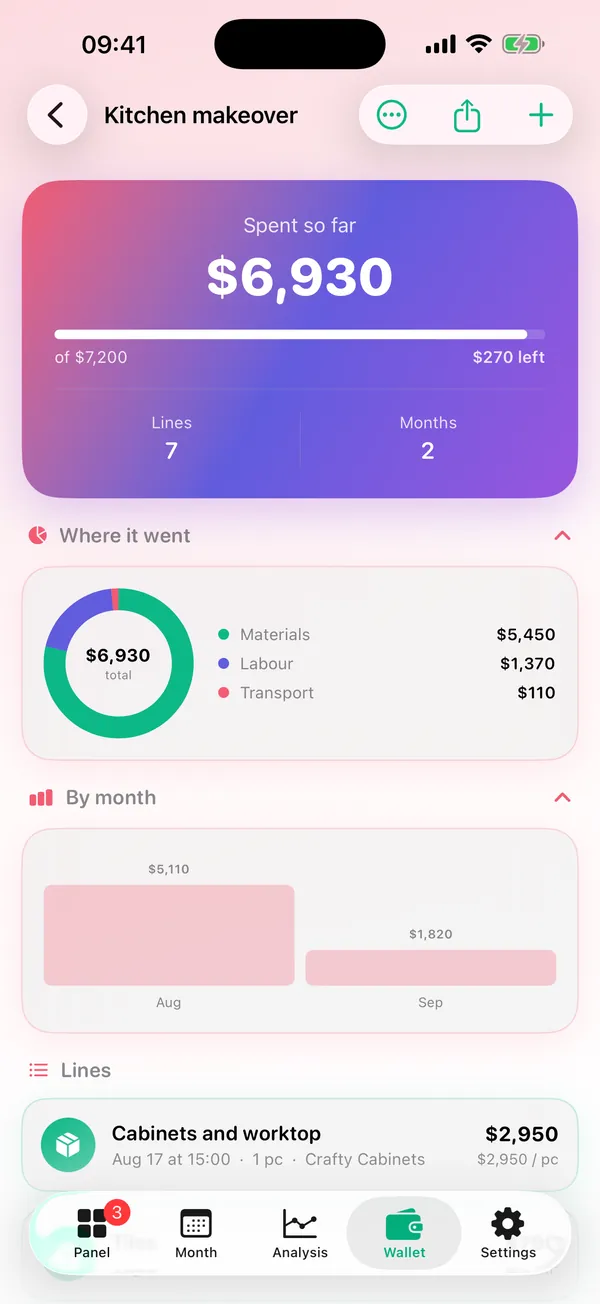
Tadilat, tatil, düğün gibi planların gerçek maliyeti; kim sana borçlu, sen kime; neyin var ve ne kadar ediyor.What a renovation, a holiday or a wedding really costs; who owes you and who you owe; what you own and what it is worth.
- Projede kategori halkası ve kalan bütçeA category ring and the budget left on each project
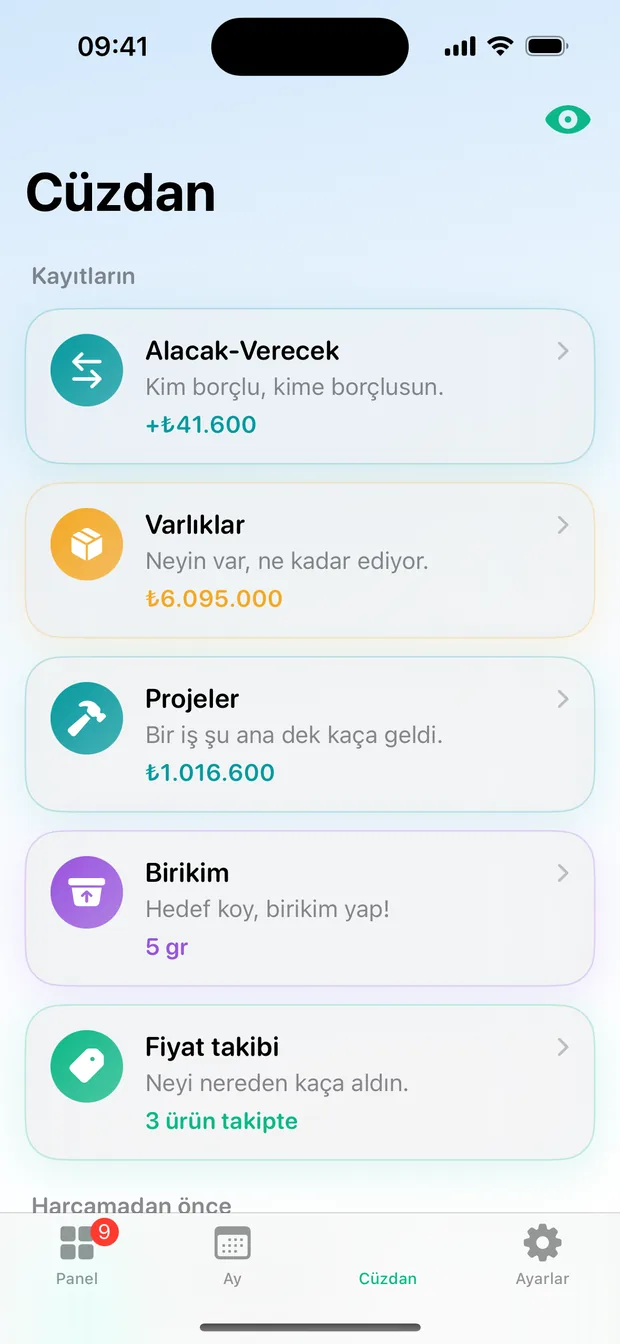
- Alacak-Verecek: parçalı tahsilat, KDV dahil ya da hariçLedger: partial settlements, VAT in or out
- Varlık getirisi dört şekilde: nominal, reel, dolara ve altına göreReturns four ways: nominal, real, against the dollar and gold
AraçlarTools
Harcamadan önce bakLook before you spend
Defterler, birikim, projeler ve fiyat takibi üstte; ara sıra açılan hesaplayıcılar altta.Ledgers, savings, projects and the price log on top; the occasional calculators underneath.
- Fiyatı saate çevir: bir alışveriş kaç saatlik çalışmaPrice in hours: a purchase in hours of your own work
- Şimdi ne kadar: eski bir tutarın bugünkü karşılığıWhat is it worth now: an old amount in today's money
- Brütten nete maaş, zam hesaplayıcı, istek listesiGross to net salary, a raise calculator, a wishlist
Ücretsiz başlaStart free
Pro ile sınırlar kalkar. Aylık, yıllık ya da ömür boyu.Pro lifts the limits. Monthly, yearly or lifetime.
ÜcretsizFree
SüresizNo time limit
- 2 ay plan2 months of plans
- 1 proje, 1 birikim kabı, 1 pano1 project, 1 savings pot, 1 board
- 3 varlık, 3 defter hesabı3 assets, 3 ledger accounts
- Ayda 2 yapay zekalı fiş okuma2 AI receipt reads a month
- Analizde özet ve para nereye gittiAnalysis summary and where it went
Pro
Aylık, yıllık, ömür boyuMonthly, yearly, lifetime
- Her şey sınırsızEverything unlimited
- Analizin tamamı: enflasyon, öneriler, servetThe full analysis: inflation, tips, wealth
- PDF ve tablo dışa aktarmaPDF and spreadsheet export
- Vade hatırlatmalarıDue-date reminders
- Reklam yokNo ads
Gizli modHidden mode
HerkeseFor everyone
- Göz düğmesi tüm tutarları gizlerThe eye button hides every amount
- 7 dil, para birimi ayrı seçilir7 languages, currency picked separately
Rakamların sendeYour figures stay yours
Hesap açmak yok, giriş yapmak yok. Veriler telefonda durur, iCloud Drive'a otomatik yedeklenir. Yapay zekalı fiş okumada fişin fotoğrafı değil, yalnızca okunan metin gönderilir.No account, no sign-in. Your data lives on the phone with automatic iCloud Drive backup. AI receipt reading sends only the text it read, never the photo.
Gizlilik politikasıPrivacy policy → DestekSupport → Geri bildirimFeedback →